IQUNIX EV63 HE Hall-Effect Keyboard Reviewed
After working with IQUNIX earlier this year to review the hefty but decent Magi75 Pro (which I still keep in rotation) they kept in touch, but my interest in keyboards had waned somewhat. The allure of remote control cars had me in its grip, not to mention the usual winter slump where getting photos of anything is a nightmare, so I ignored email after email.
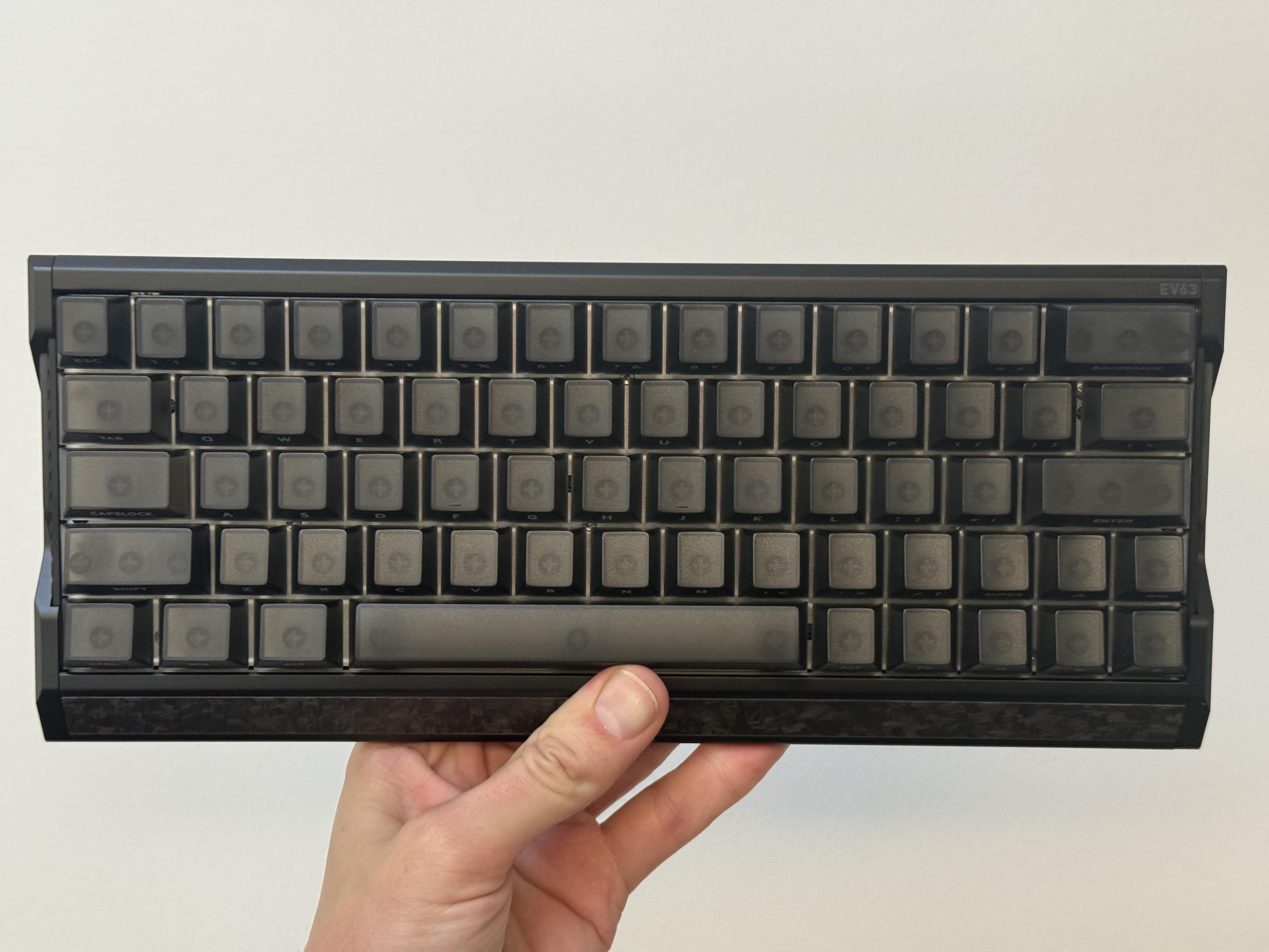
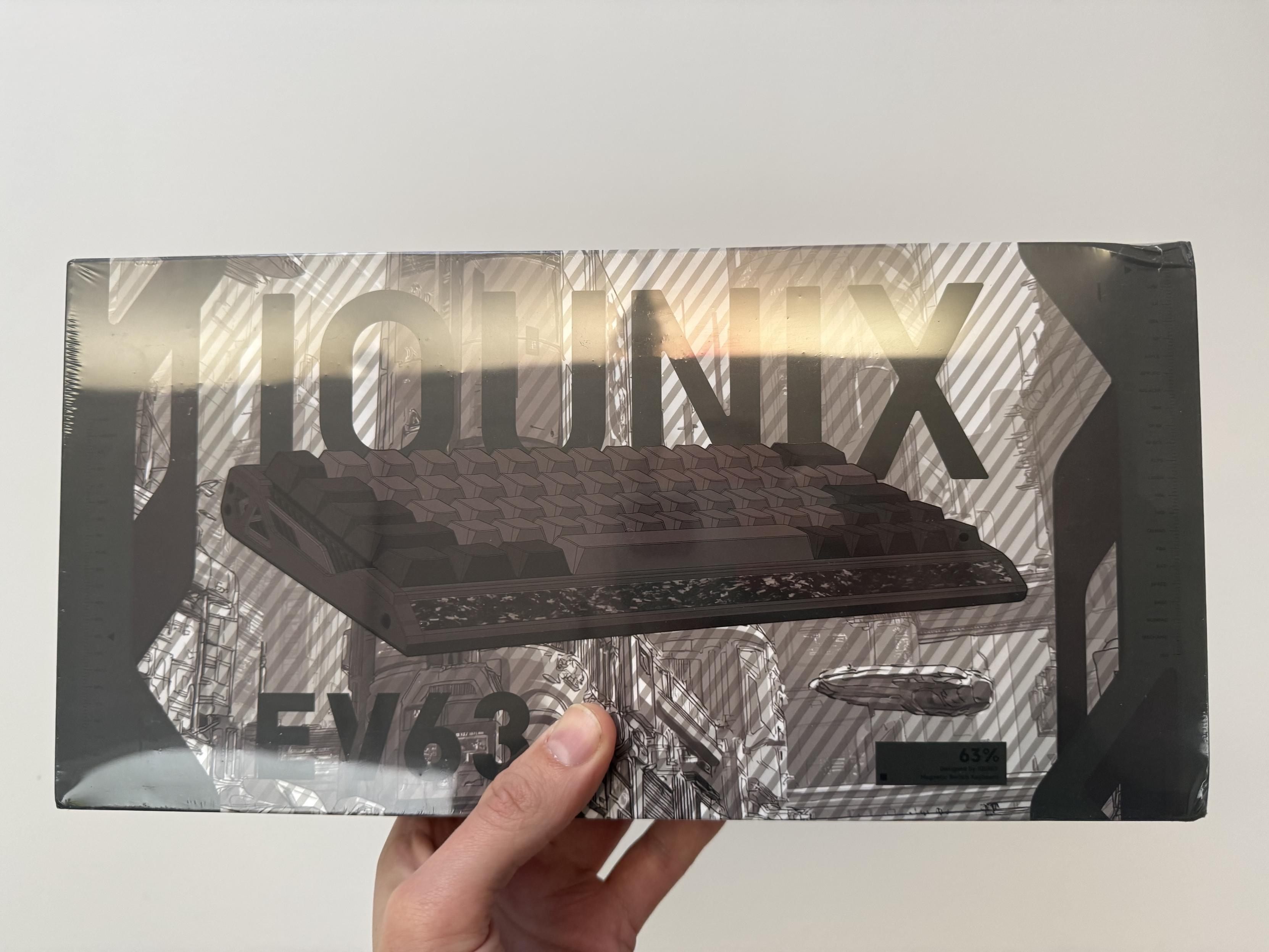
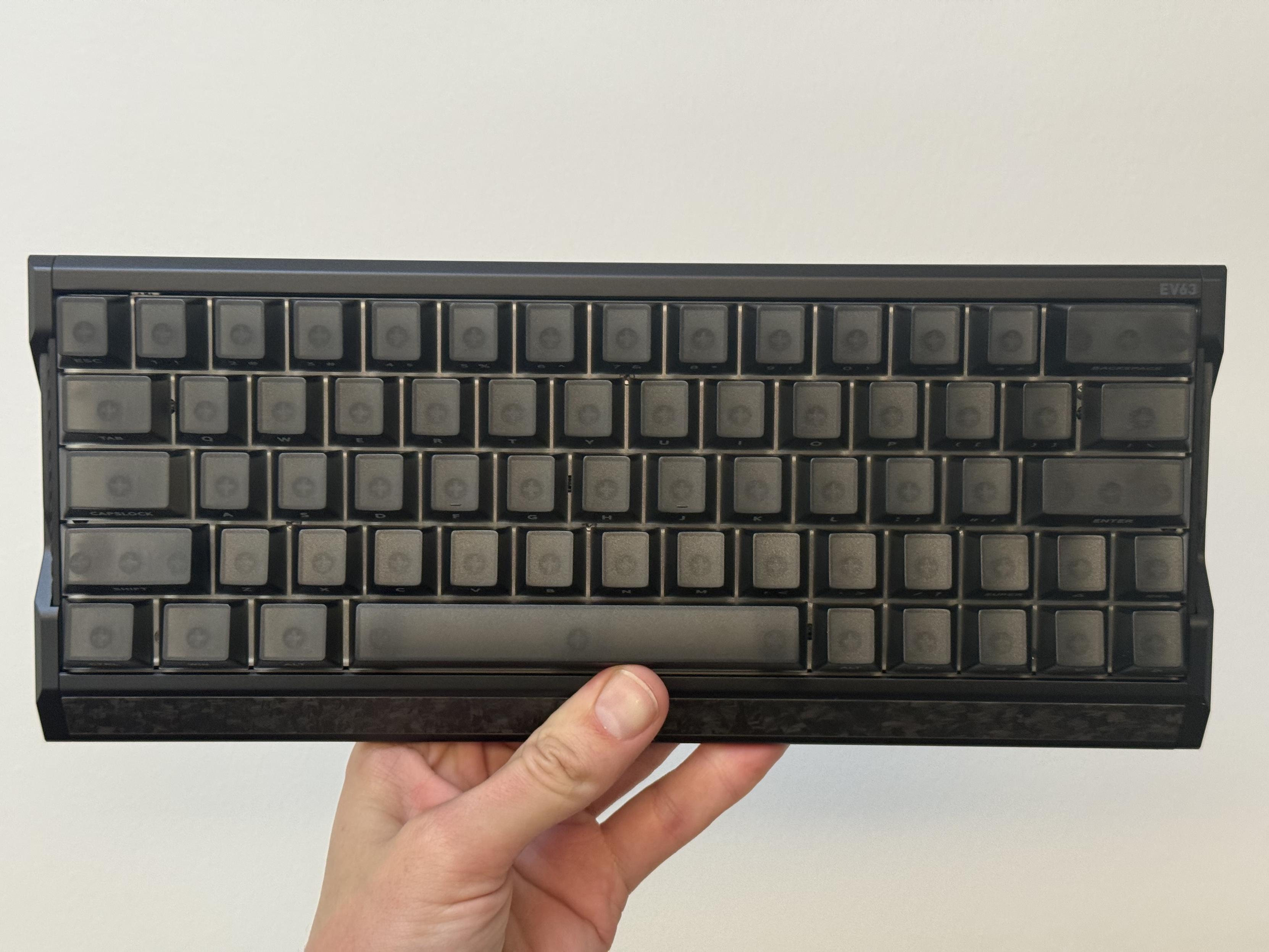
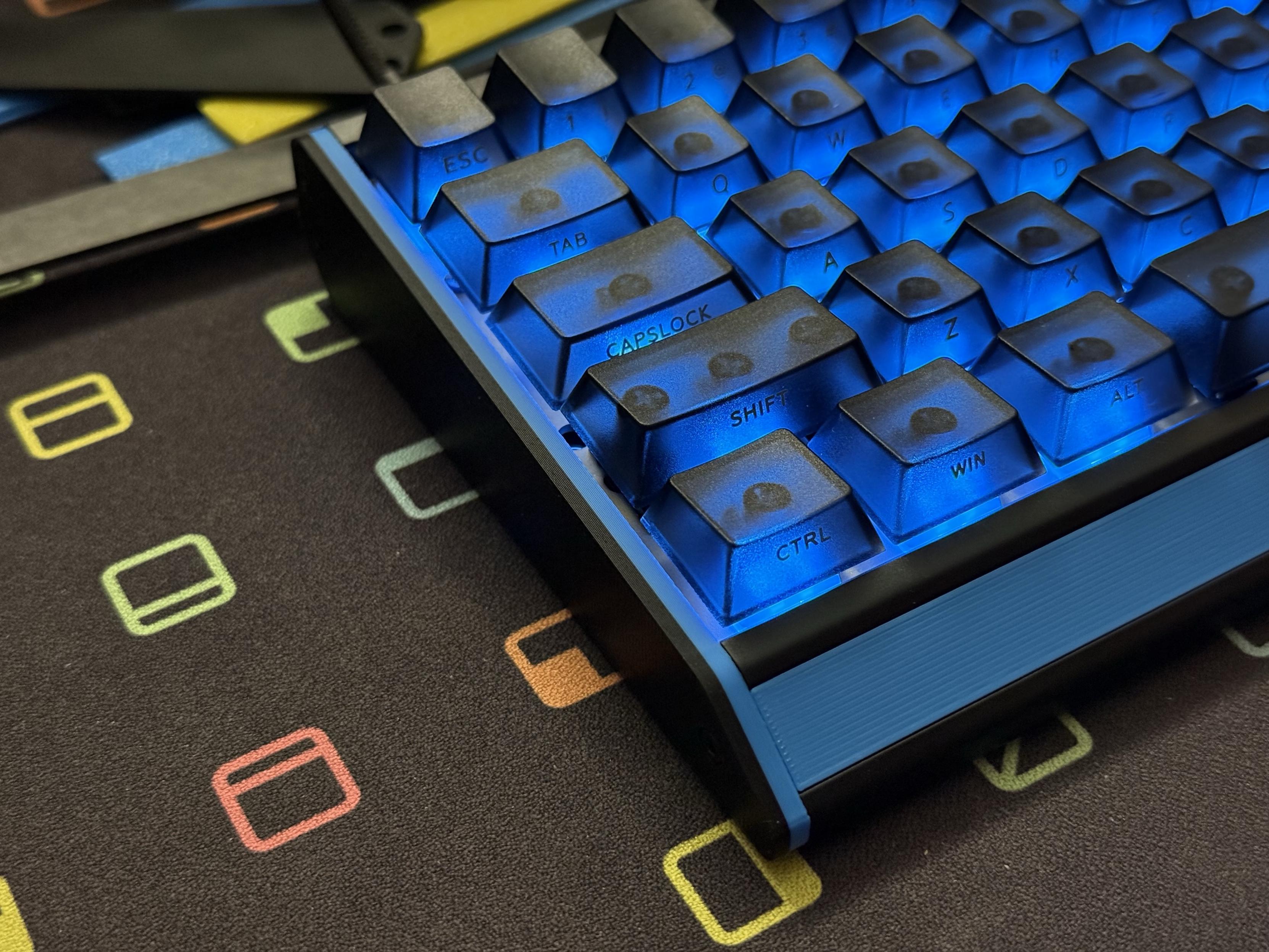
Fresh out of the box it’s a good looking board, with the side-printed keycaps keeping the top clean.
They sent me their EV63 HE anyway, on a prayer, with very explicitly no pressure to review it. It was, in their words, a gift. It’s not often that I’ll get some unsolicited gubbin to review. I don’t get much of anything to review these days- it’s getting harder and harder to find the time and energy to write amidst all the other hobbies I keep acquiring. That’s no bad thing, I write because I enjoy writing and if I don’t enjoy it I don’t write. As such I don’t really have any strong feelings about unsolicited items. In fact despite my apathy towards keyboards, I was rather looking forward to it.
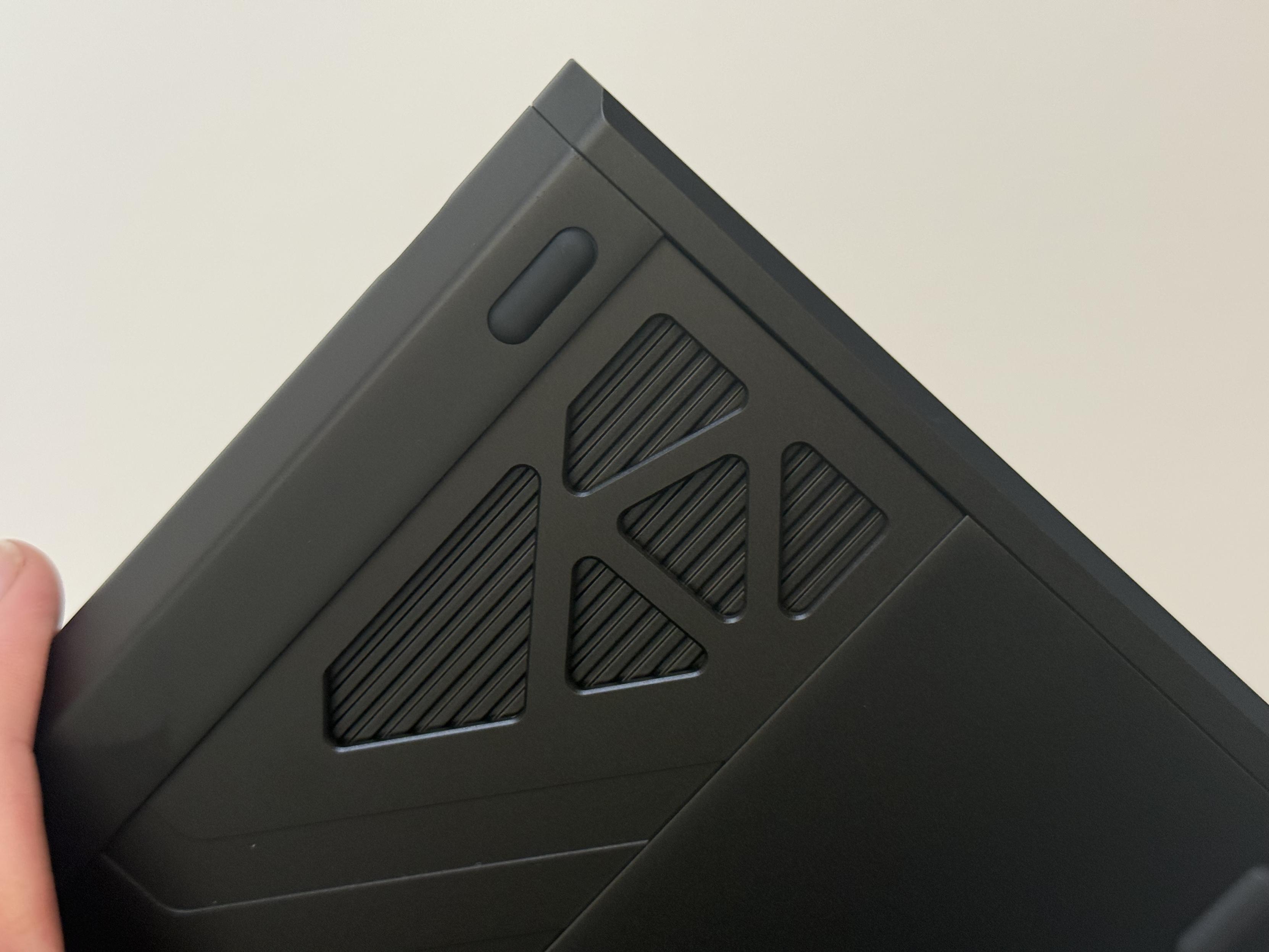
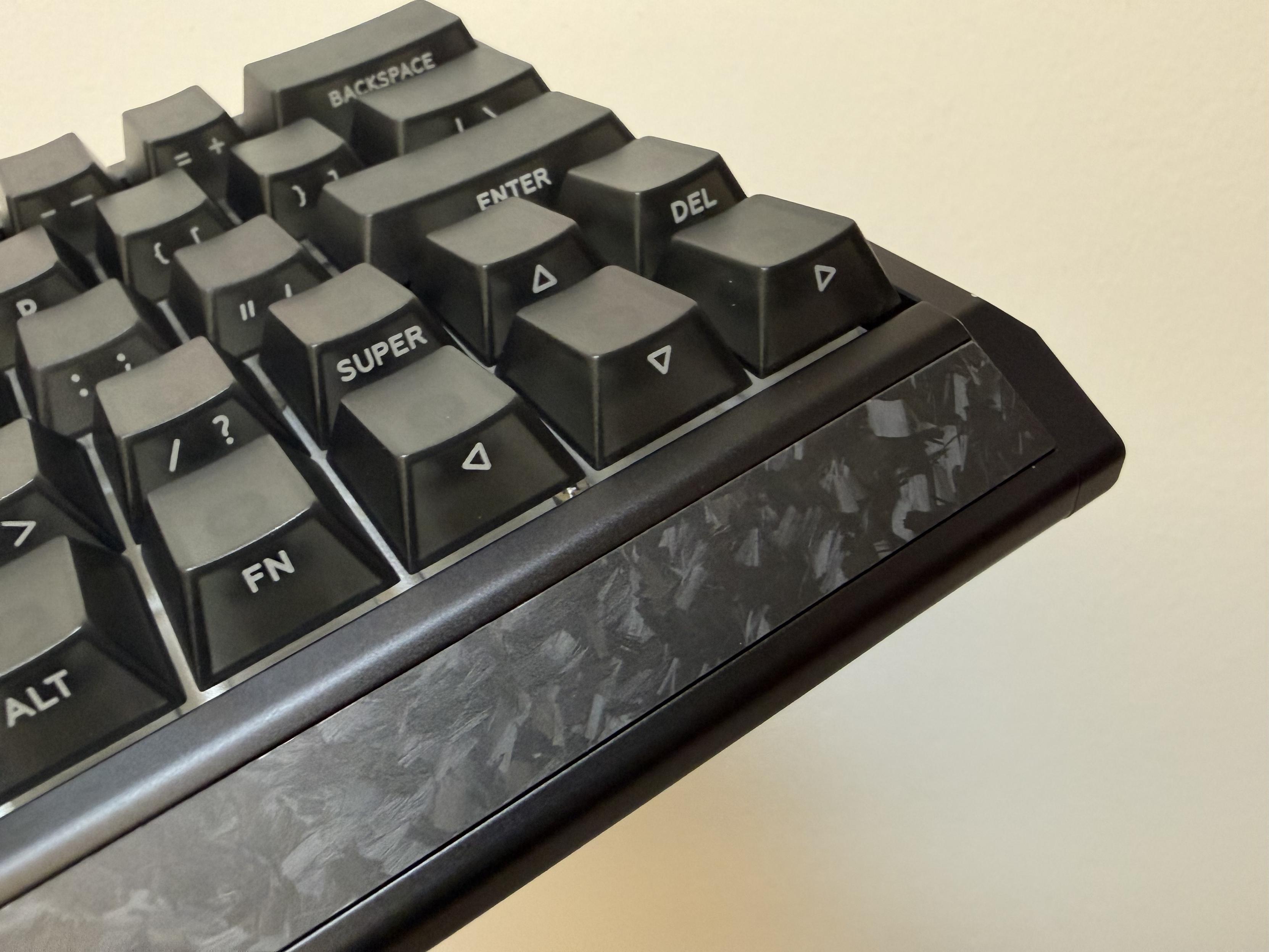
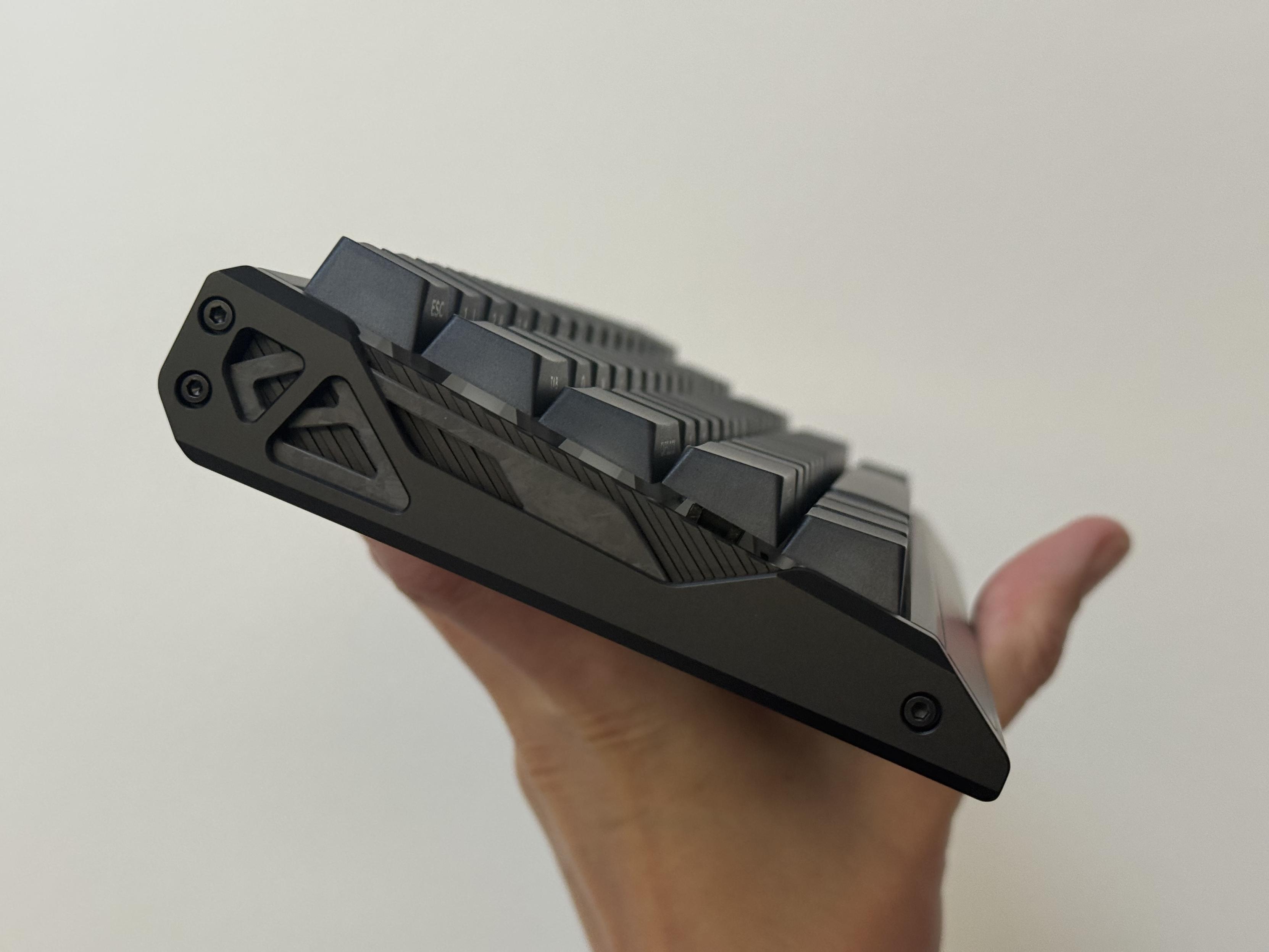
It could have been a sleek black board, but it’s endowed with a slew of fussy details that I can’t say I’m a huge fan of.
Normally I pick keyboards I’ll find interesting, or those which I think I’ll have something worthwhile to say about. The EV63 didn’t check any of my usual boxes. It’s understated at a glance, but on closer inspection the design is quite fussy and lacking any real cohesion. The forged carbon front detail is clean while visually interesting, but the complex, bolt-on left and right-hand stand in stark contrast. That said, the “Dark Knight” colorway they sent is all black, masking the complexity of the details. The translucent, dark keycaps with front-printed legends help put together the sort of clean and uncluttered look I tend to prefer. Unfortunately dust and grime aren’t going to be dissuaded by a uniform colour and will inevitably find their way into the intricate details on the sides of the board. Thankfully IQUNIX include a little retractable makeup brush style cleaner to keep the board looking pristine. It’s an unusual if very welcome extra.
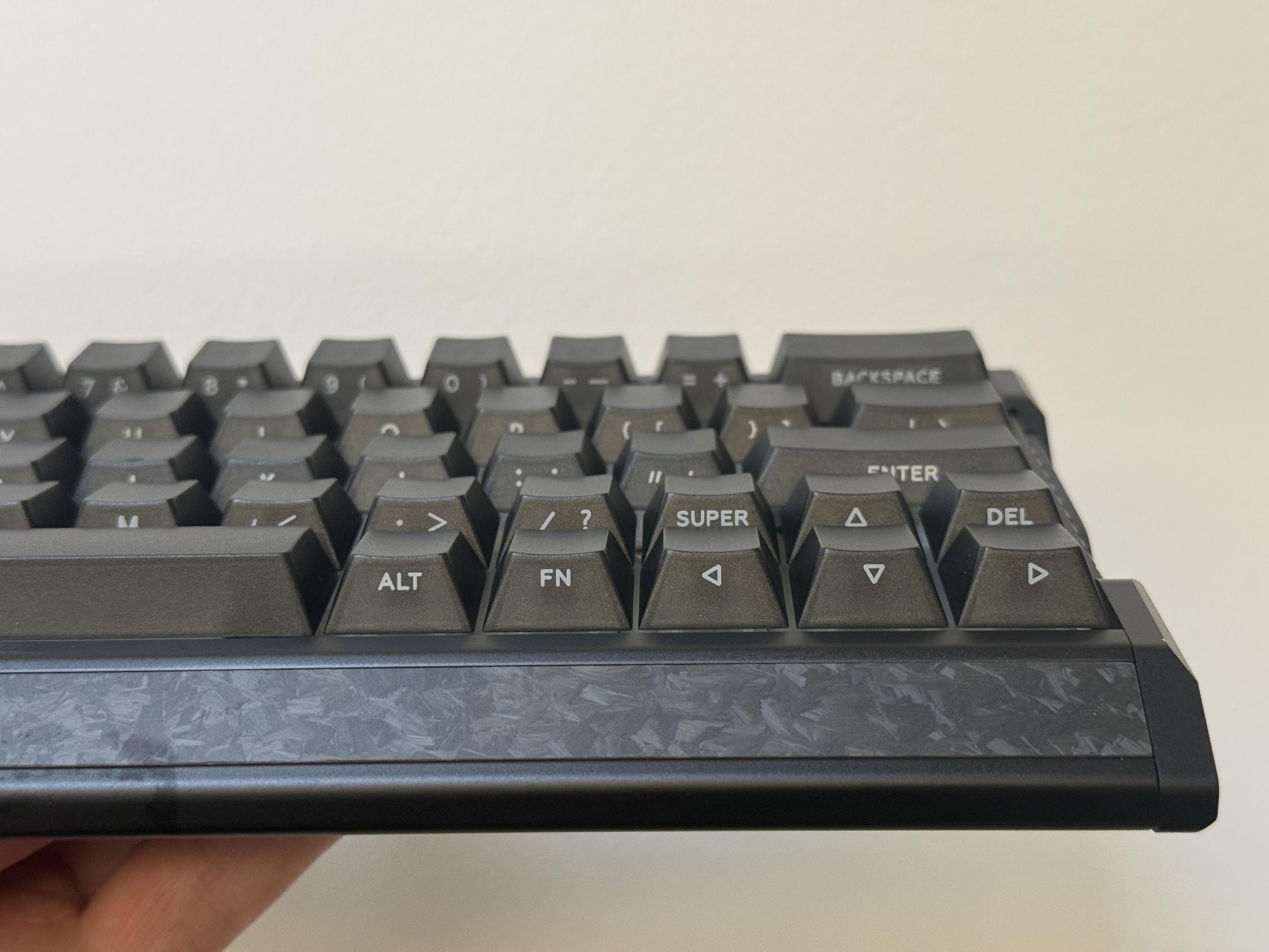
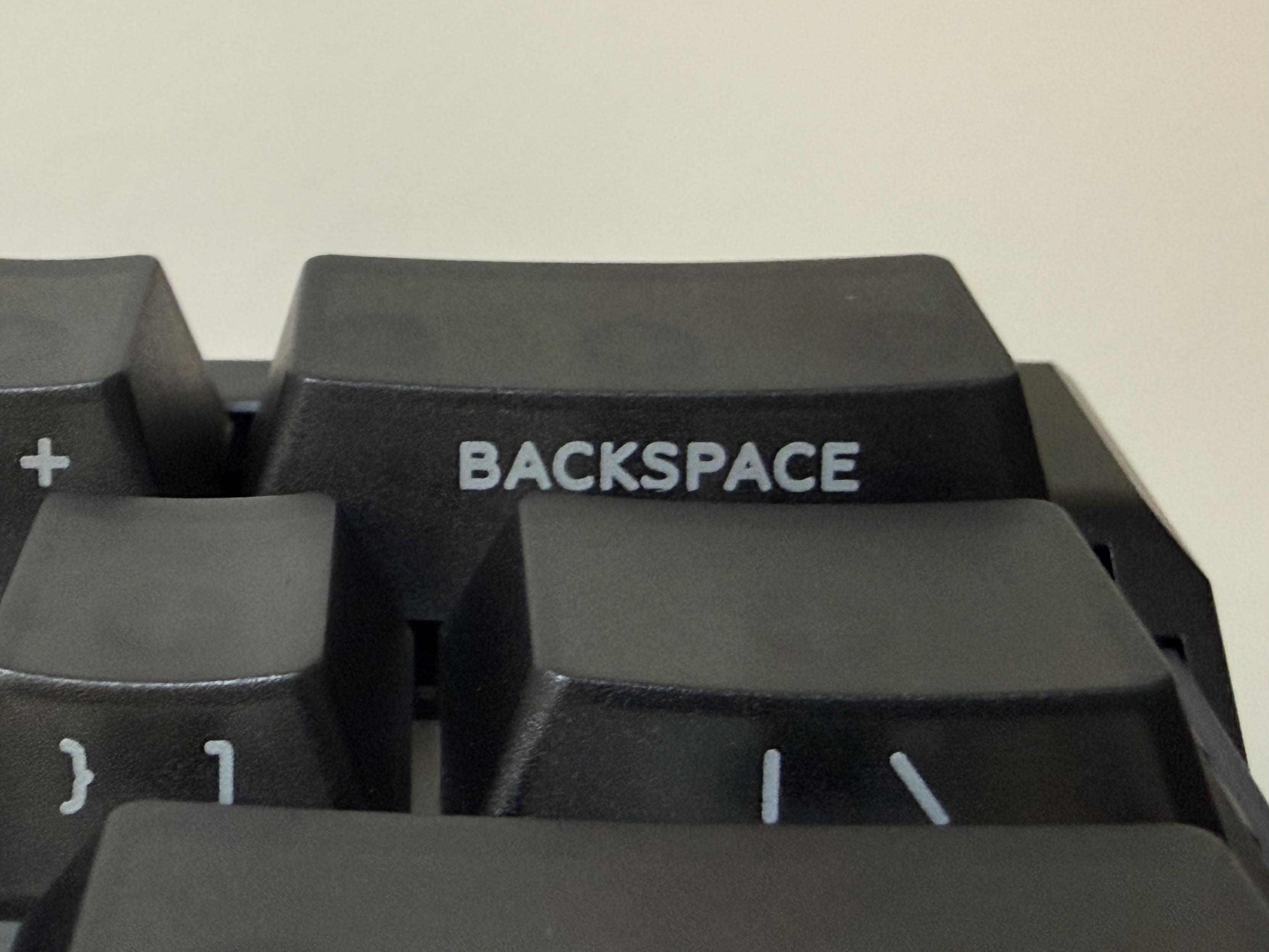
The side printed caps are really nice with consistent lettering and fairly decent printing.
Beauty is only skin deep, though, and the EV63 has more to offer than just looks. It’s a direct shot across the bow of Wooting and their 60HE, with the slightly larger 63% layout offering a comfortably familiar (albeit renaming right shift to “super”) right-hand side to the board. This is probably more useful to typists than gamers and as such more than welcome since I tend to do more of the former.
The solid aluminium shell with a tray mount PCB, combined with the Magnetic X Ultra switches gives a very clean, snappy typing sound and crisp feel. It’s a pleasant board to type on, and in typical fashion I’m using it to pen this review. Or key this review as it were. It’s not a particularly loud board to start with, but in typical HE fashion you can dial the sensitivity up far enough to permit softer typing. In doing this, though, I noticed the board waking up through the night (blasting the bedroom full of the soft teal colour I had chosen as the backlight), presumably due to some gremlin in the magnetic sensors.
Of course this is a gaming keyboard intended for gamers who are probably running Windows and I am a terminal Mac user… not just because I’ll probably use Mac forever, but just as much because I spend 90% of that time in the Terminal coaxing ever more elaborate builds of MicroPython to life. That leads us into…
The Software
Other Mac users will be pleased to know that the configuration software- another web-based affair that requires Google Chrome or some Chromium-based alternative – works in macOS. I am forced to acknowledge that web software gives me some cause for concern- if I download an app, I have that app as long as I’m willing to keep a copy somewhere. A website? Gone as soon as the manufacturer is bored of supporting it. I wonder how realistic they are to mirror… aanyyyway.
The software is… fine. It’s the usual setup that will no doubt be familiar to anyone who has used keyboard software before and utterly confounding to anyone who has not. Nonetheless swapping left Alt and left Win took a couple of seconds and realistically that’s all the remapping I’m ever likely to do.
For Hall Effect boards you can also tune the sensitivity and while the EV63 is already a very quiet (and pleasant to use) board, I decided to ramp down to 1.1mm of actuation depth so I could type a little softer. It was either this change, or something else, which led to the EV63 waking up spuriously through the night and lighting up the whole bedroom. Relying on magnetically actuated switches in lieu of a physical contact means there’s a lot more opportunity for noise and outside interference to register as a keypress. As such I tuned the sensitivity up a little and let the board sit a while. It did not sleep… at all. After some poking I realised the “Lighting Sleep Timer” setting was at “000.” No amount of poking seemed to get it to change, so I did the logical thing and applied the update.
Under a “Pro Keys” heading come the usual complement of fancy things you can do with magnetic boards, with such exciting acronyms as “RS”, “SOCD” and “MT” which I always, without fail, manage to forget.
These are, in reading order:
- RS – Rapid Shift / Rappy Snappy – IQUNIX say “The key pressed deeper takes priority” and you’ll find this oft used to make W/S and A/D sort of mutually exclusive for more rapid switching in movement direction.
- SOCD – “Snap Tap” / Simultaneous Opposite Cardinal (like a compass) Directions – IQUNIX define this as “Keys are triggered based on your SOCD settings.” An utterly useless self referential definition if you don’t understand what SOCD is. It’s basically a variation of RS used in similar situations, except the priorities are based on key press order and not depth. IE: last key, neutral or either key taking absolute priority over (and cancelling input of) the other.
- MT – “Mod Tap” – IQUNIX nail this one with “One key, two functions: hold and tap.” What more can I say?
- DKS – Dynamic Keystroke – IQUINIX dub this “Four functions based on pressed depth” and that’s close but you only have two actual depths and functions are triggered on both the press and release phases.
- TGL – Toggle Key – IQUNIX define this as “Tap to toggle continuous trigger, hold for normal input.” That pretty accurately sums it up.
Whether you find these useful depends highly on which games you’re playing. Dynamic keystroke, despite potentially being quite powerful, is typically a great way to spam multiple instances of the same keypress in a single keystroke. Useful if you want a three tap burstfire or need to mash buttons to win. These functions tend to get in the way during normal typing, though, so you must make heavy use of profiles to switch in and out of gaming modes. With just three profiles and two layers you’d better be playing a short list of games. Thankfully all of the “Pro Keys” features can be toggled via a separate keybind, which defaults to Fn + Q making a layout set up for gaming also typeable in a pinch.
The Firmware
My board shipped with firmware 0.4.4, with update 0.9.0 already available. At time of writing there’s no firmware changelog so I don’t know what’s been fixed in the intervening versions. What certainly has been fixed is the Lighting Sleep Timer, which now reads “5” for five minutes instead of “000” for hilariously broken. I could finally set it to 1 minute for testing and let it sit for a while. Yep, that did it; not one wakeup all night. Suffice to say if you’ve got quirks with your board: update the firmware. Who knew!
The firmware update process was relatively smooth with a long list of steps which the updater works through, prompting you to reconnect your keyboard with your browser a couple of times. During the process it backed up and restored (successfully) my settings.
While I’ve used the EV63 exclusively for work and typing this review, Neverness to Everness runs pretty well on my MacBook Air so maybe I’ll be able to eke out a few hours gaming with it.
HyperCore V3
While writing this review, IQUNIX also dropped a major new update to the EV63 firmware v3.0.0 dubbed HyperCore V3. This update includes performance and stability improvements, with a specific focus on end to end latency but seems to touch a lot of common trouble spots. Along for the ride is a brighter backlight where the power supply permits, possibly better colour reproduction, faster wake time and more.
Details of this update exist nestled within the walled gardens of Twitter or Discord (though they do show in a big, bold splash when you connect an older board to the web software), so I’ve reproduced the changelog at the bottom of this post for your convenience.
Suffice to say, with multiple firmware updates since receiving this board for review it’s clear IQUNIX are trying to dial things in and make the best board they possibly can. I’d have preferred something a little more finished at launch, but then there’s little substitute for letting your customers loose on your products and listening to their cries. Cheap and efficient! Though it’s worth noting that HyperCore V3 was – allegedly – developed and calibrated in conjunction with reviewers (with better test equipment and gaming chops than me, no doubt) and esports teams.
Taking It Apart
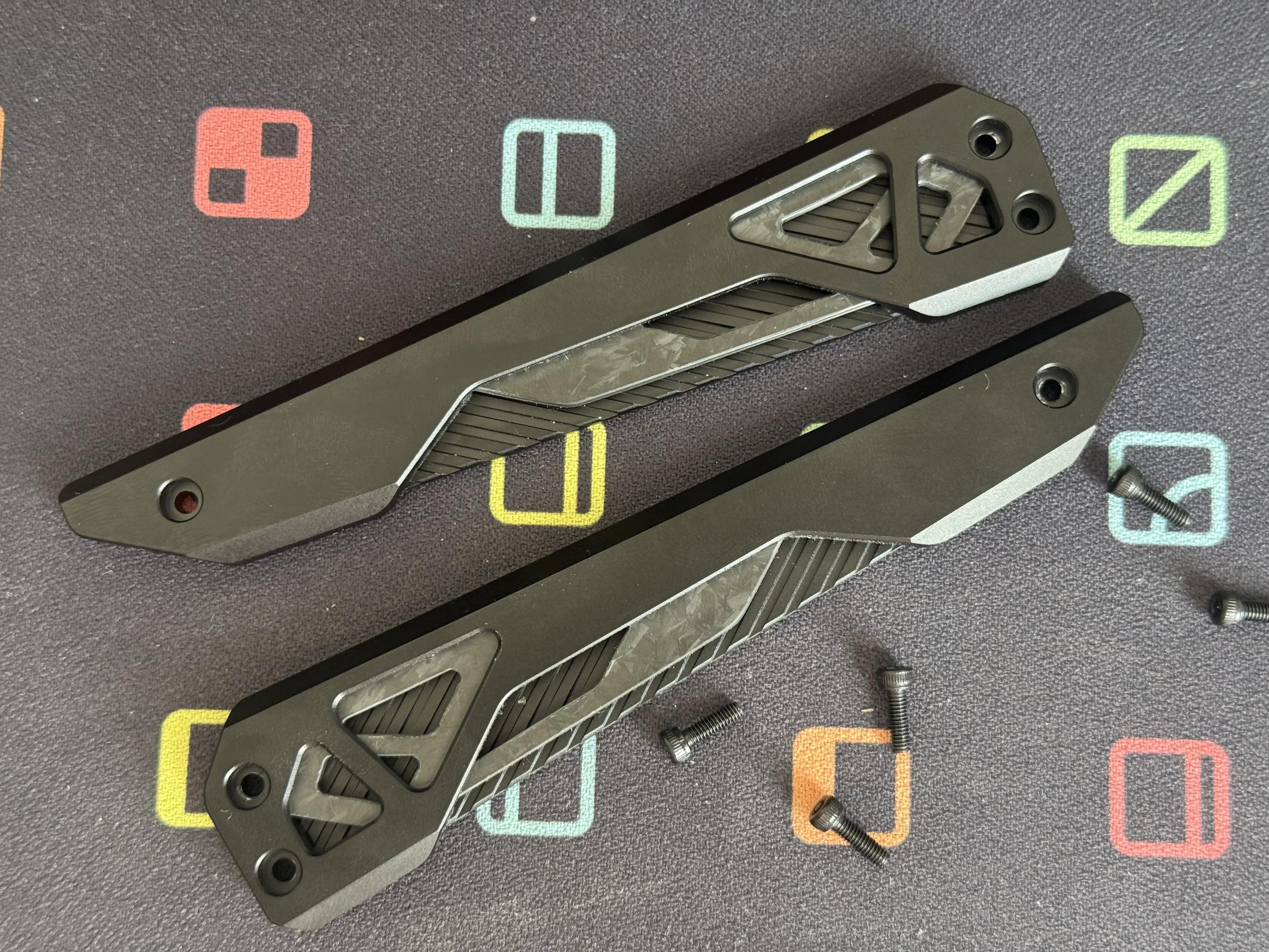
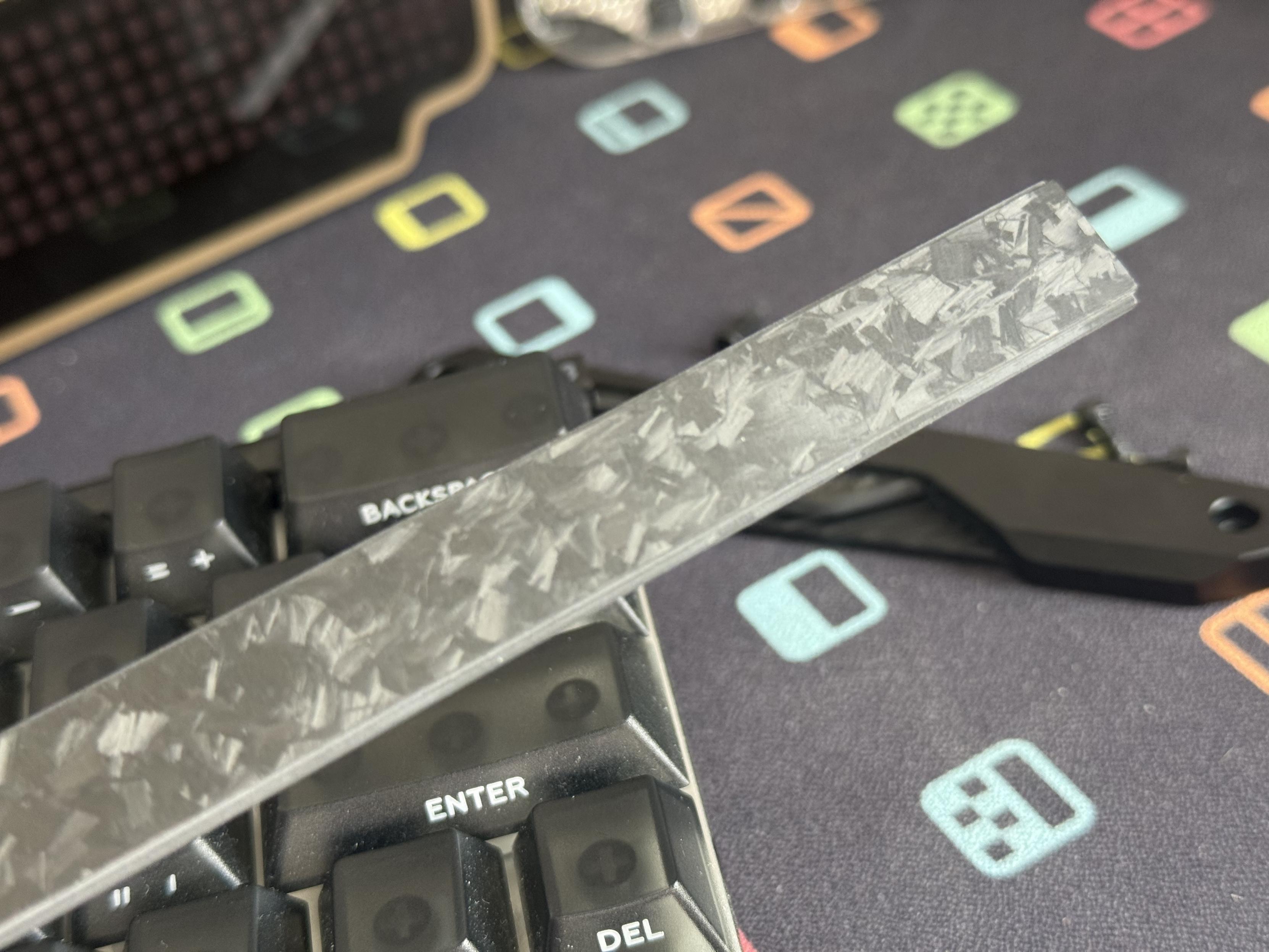
The sides and carbon fibre front badge are a little fussy with details. I’d love a minimal version. Maybe I could print one… oh wait I already did!
The left and right sides of the board are held in with three hex bolts each, all with 2mm heads. I’m not one for subtlety so I just crammed a Torx T8 into the head and they came out easily.
Next the Enter, Del, Caps and Left Shift keys need to come off to access a pair of crosshead screws at the extreme edges of the board. You’re not done yet, though, since there are screws to the right of the spacebar, between G and H, to the right of Tab and to the left of Backslash.
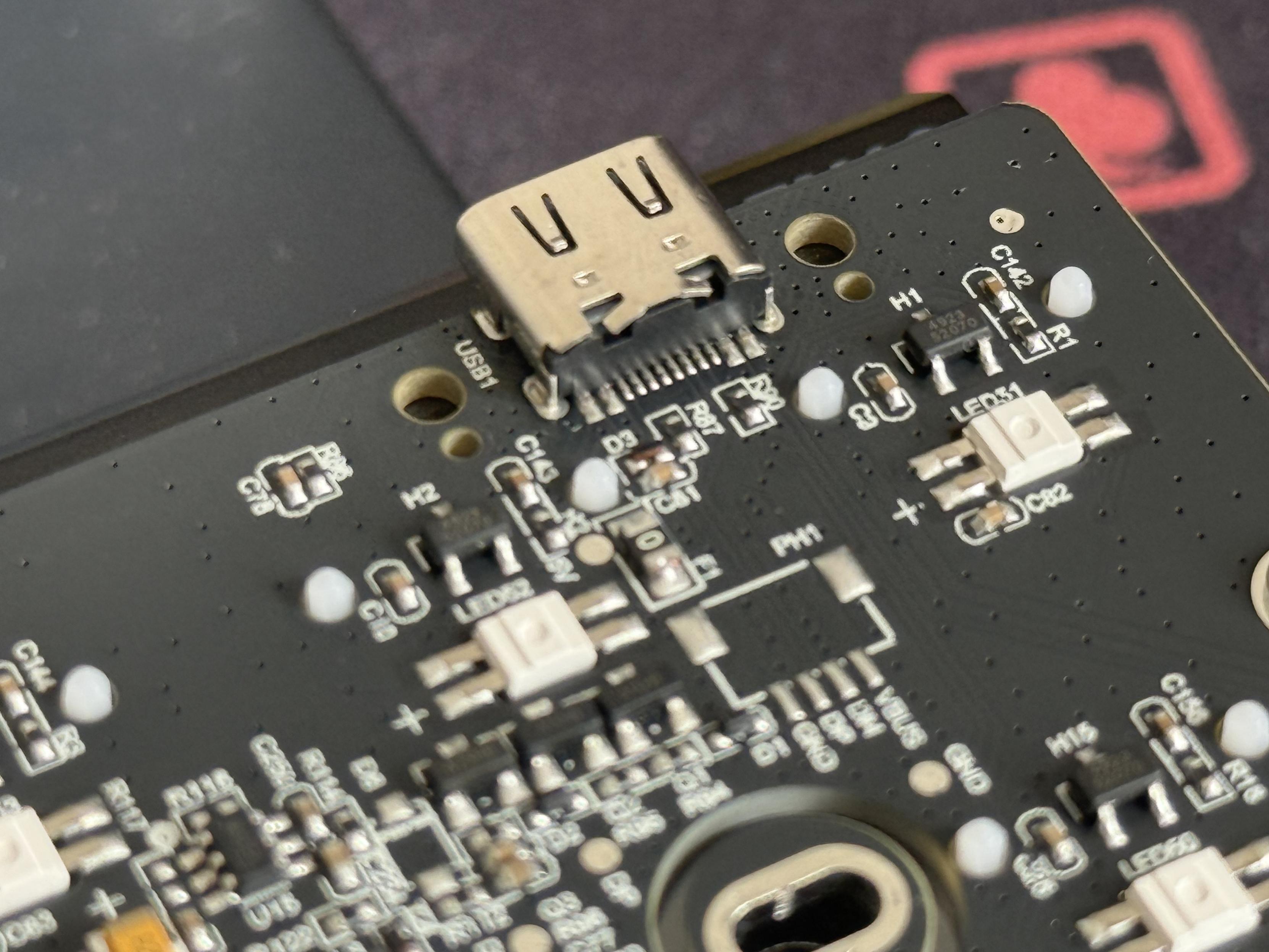
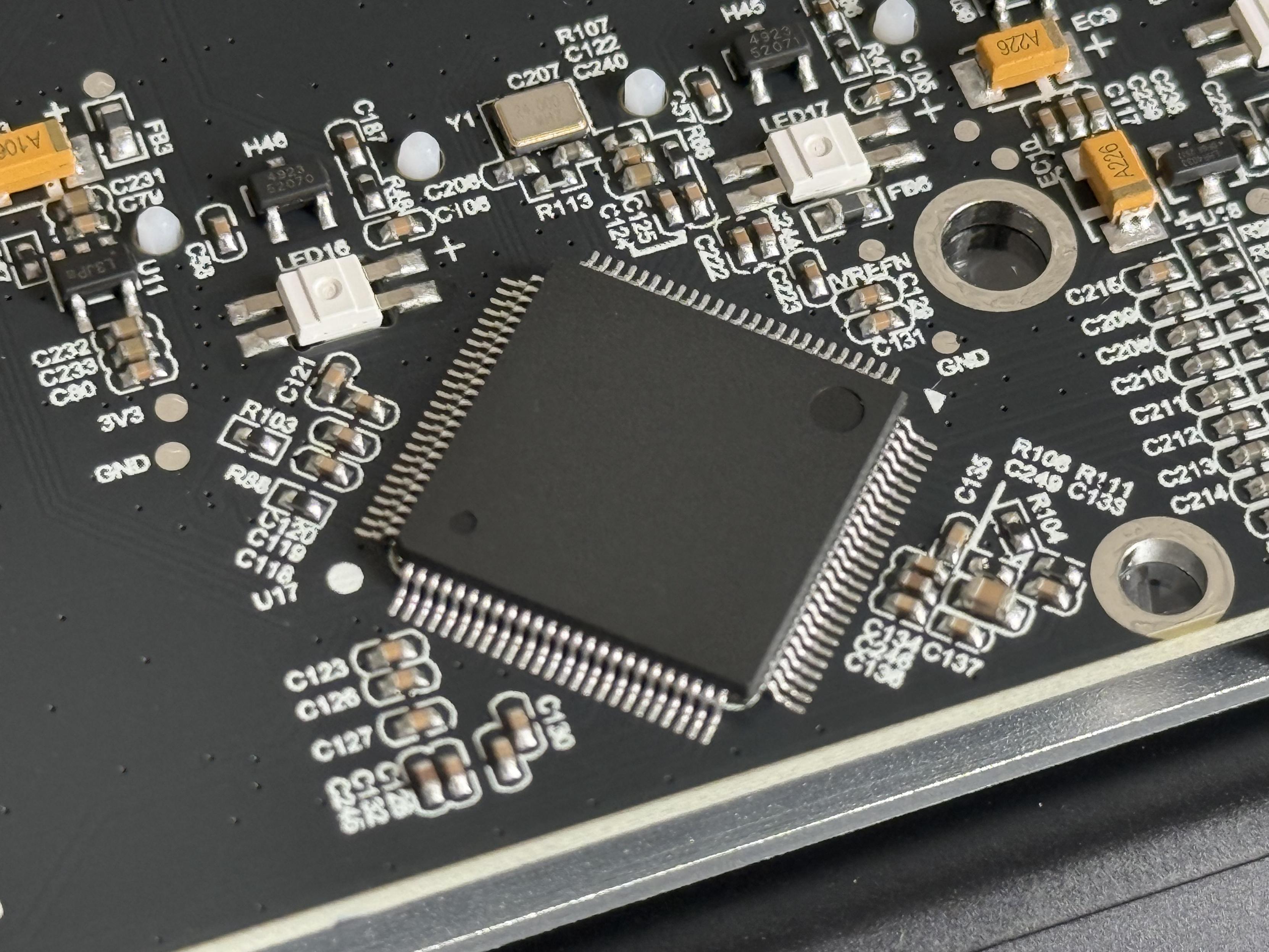
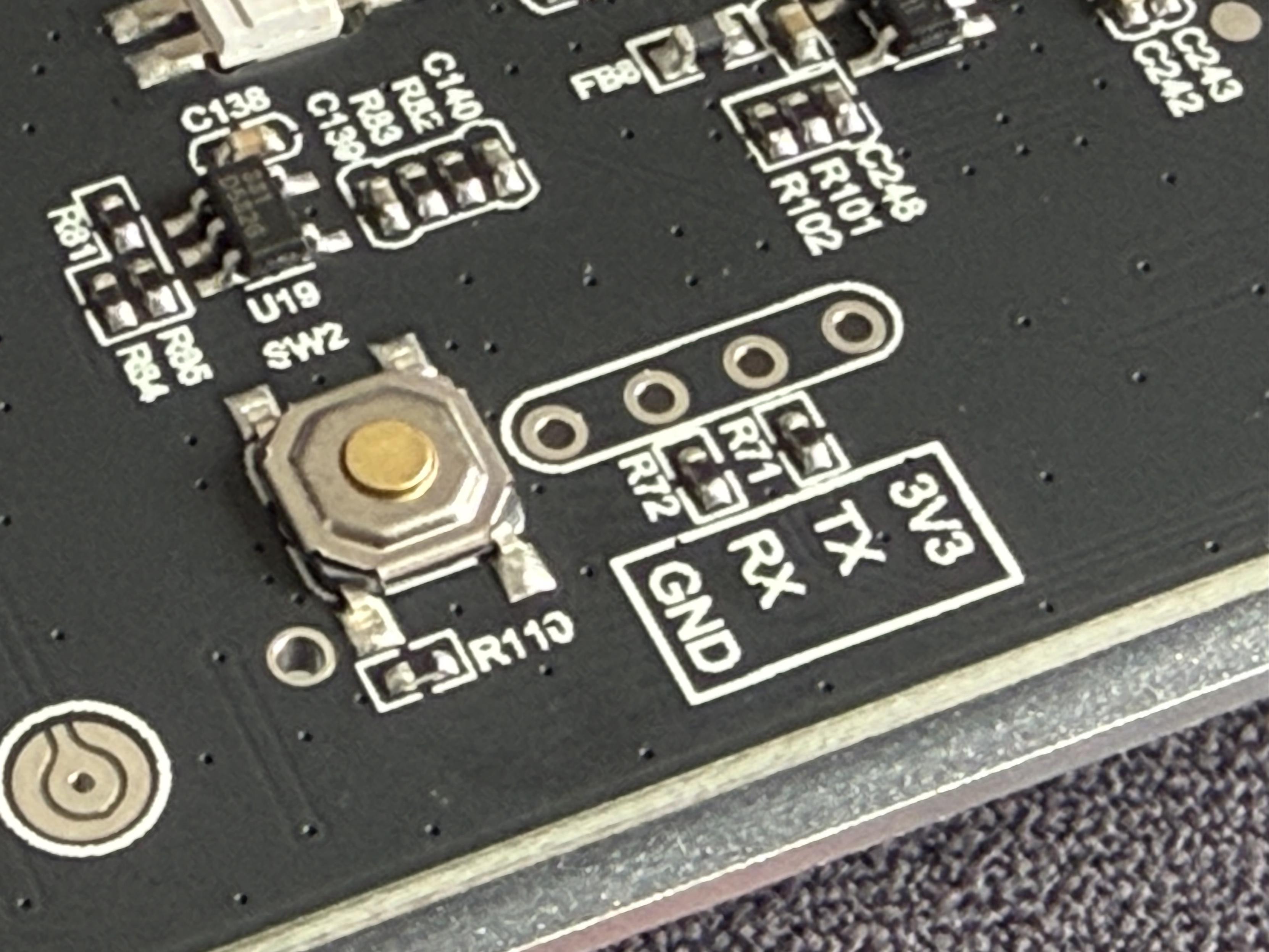
That is most definitely a chip with a lot of pins!
Once undone the PCB and plate assembly slides forward and lifts up from the front edge to work the USB Type-C port out of its recess. It reveals an underside packed with foam and a PCB using a chip with a lotta lotta pins to drive a set of analogue multiplexers connected to all of the many, many hall-effect sensors.
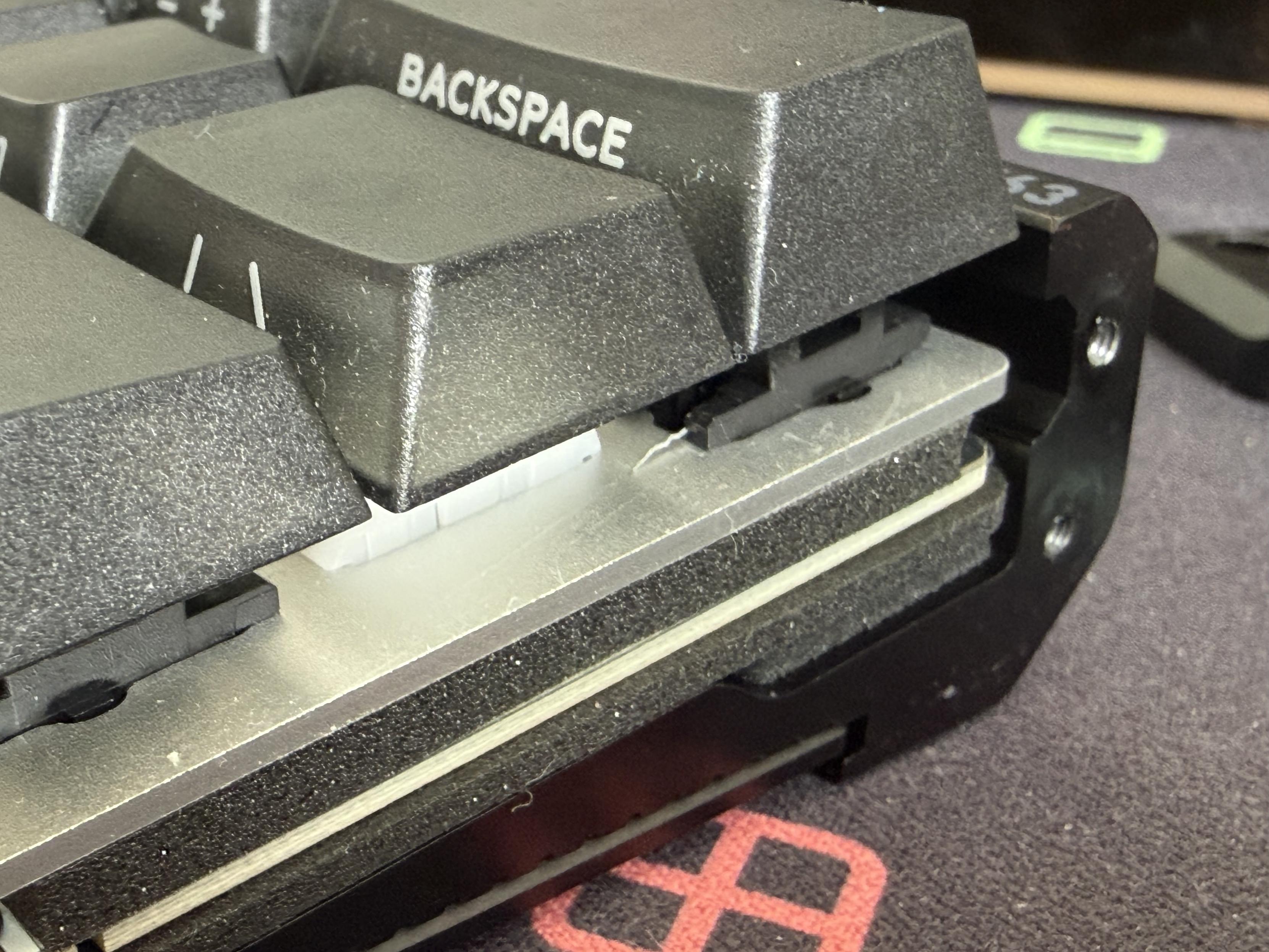
With the side removed there’s no shortage of foam in this thing.
With the ends removed the carbon fibre badge also slides right out of the front, a perfect opportunity for 3D printing a custom one perhaps. The left and right sides should also be fairly easy to replace, too, and this modular setup lends itself tastily well to a clean, less fussy alternative.
The little cantilever PCB cutouts for the screws securing the PCB to the bottom shell are cool, but I can’t imagine they do much.
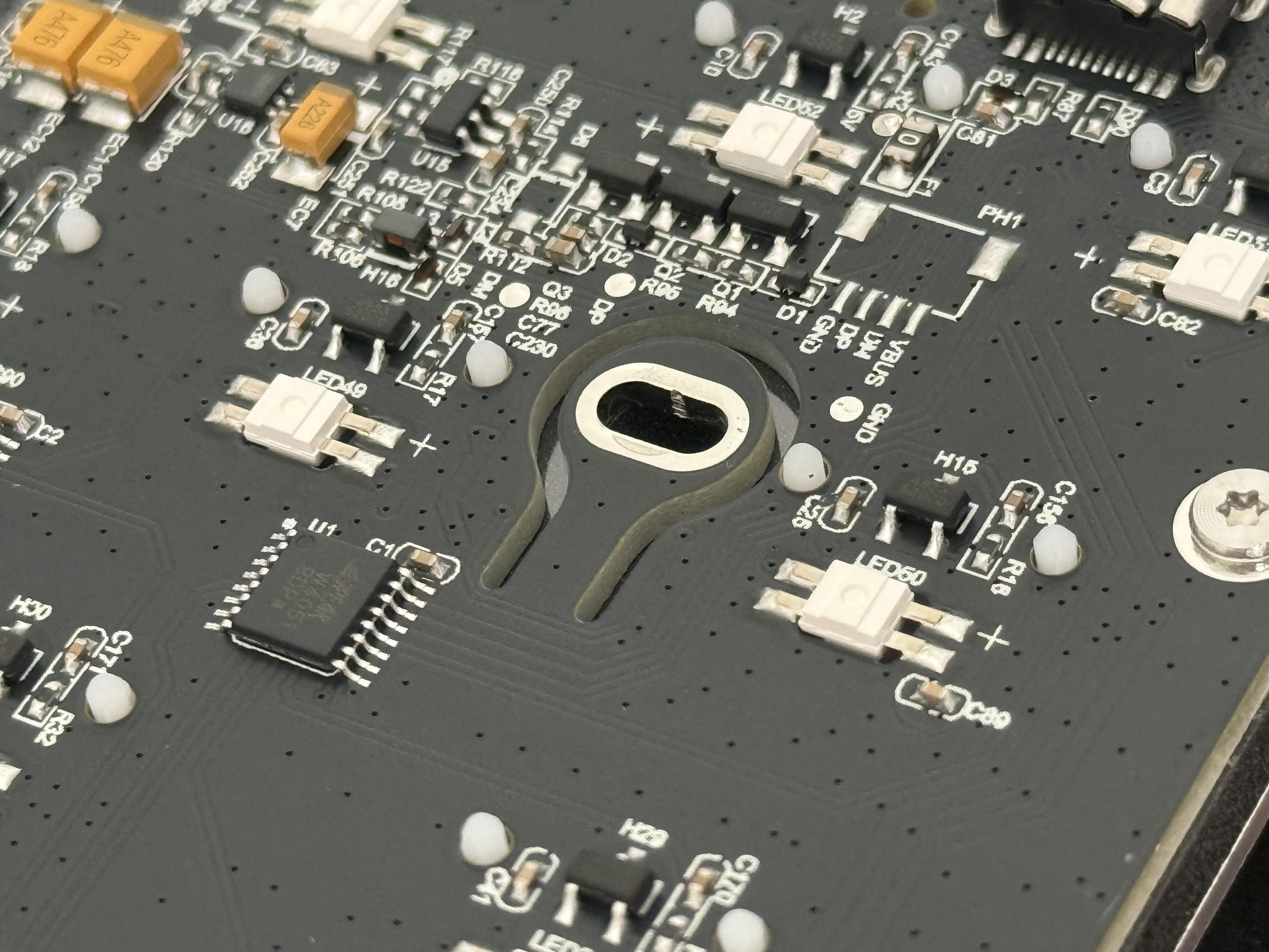
Oooh little cantilever isolation cutouts fixing the IQUNIX PCB to the bottom shell.
Getting Carried Away
With 3D printing in mind I set about measuring and designing some replacement parts for the EV63, specifically plain end caps and a plain front badge to dress the board down a little.
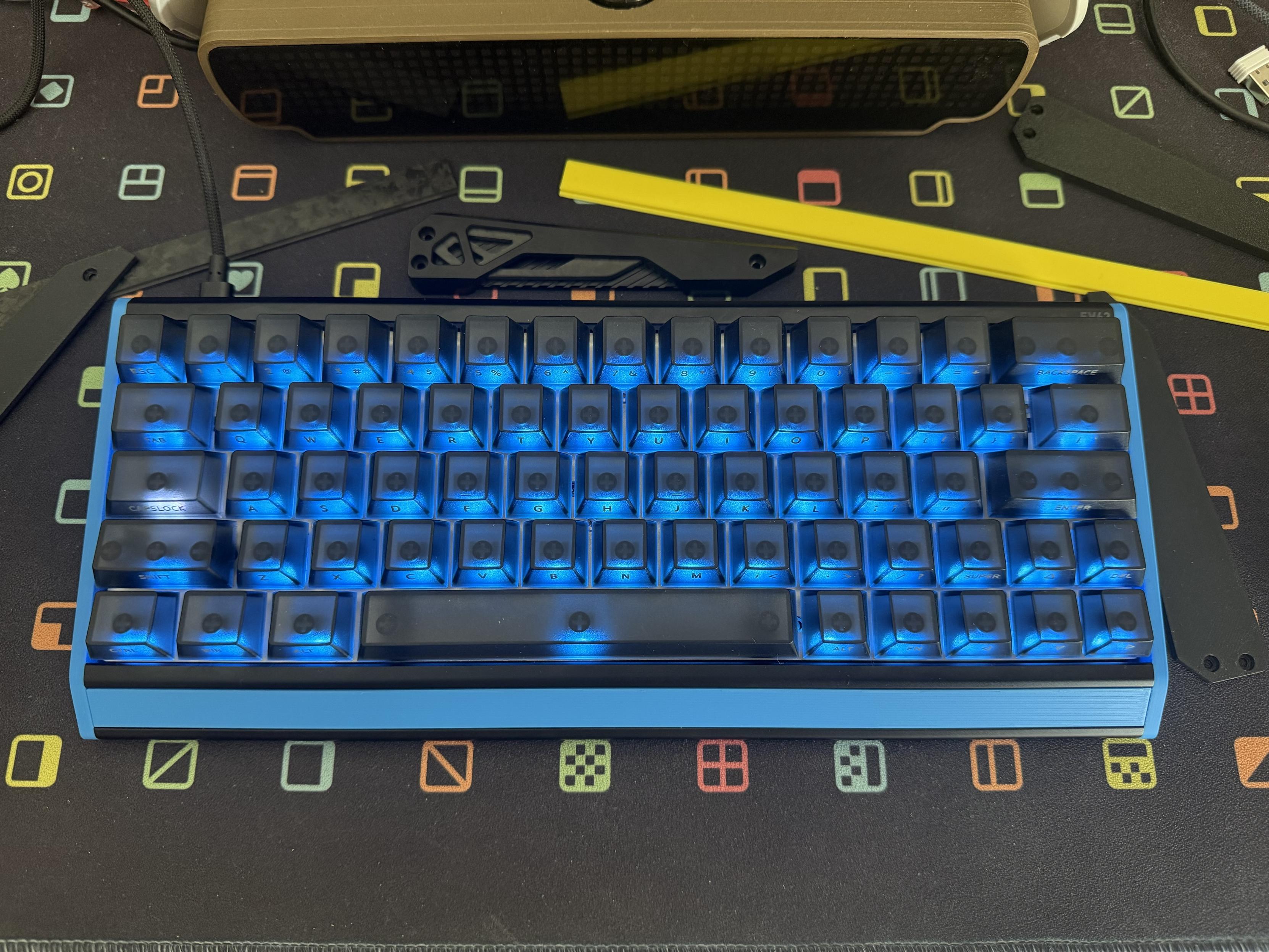
Got carried away with the IQUNIX EV63 and printed some replacement parts.
I removed one of the end caps, grabbed a LEGO brick for scale and stuck it on my flatbed scanner. Importing this as a reference in Blender I could then scale the reference based on the known dimensions of the LEGO brick and simply draw around it to get my profile. Much tweaking and fine tuning later I had something visually consistent with the profile of the keyboard, but with all the fussy details removed.
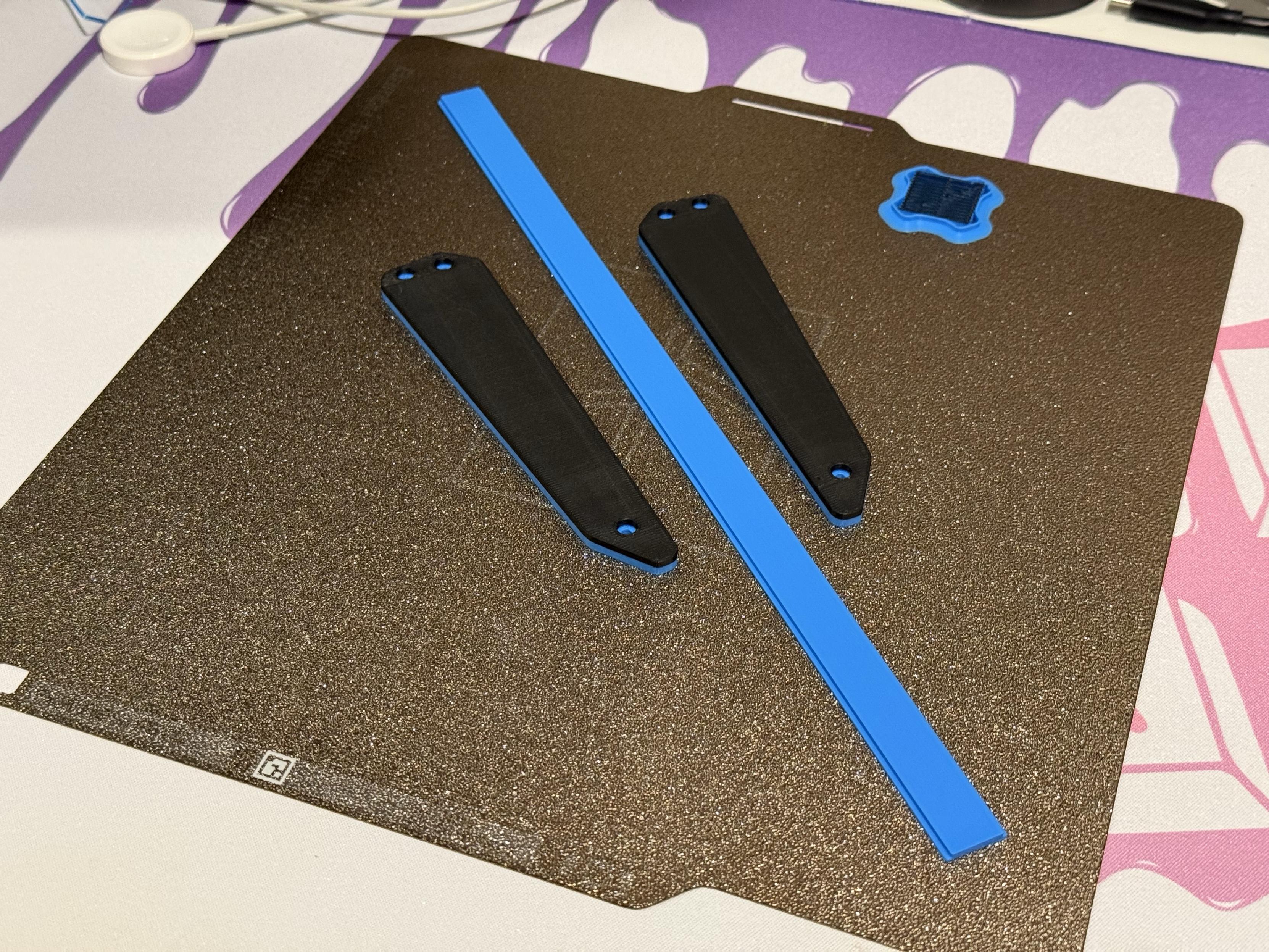
Not a bad result, except for measuring the front badge strip wrong again.
For the front badge I took measurements from the carbon fibre stock one and did a couple of iterations to get the fit nice and snug. The result? I can have any colour or style of end caps I want to put the time into making. I chose black and blue for no reason other than those were colours I had loaded on the printer.
I wanted to share the files I used to print these, but haven’t quite got the shape dialled in. Give me a shout if you’re interested, maybe I’d be motivated to finish them!
Overall
The EV63 HE is a great, compact HE keyboard that IQUNIX appear committed to making better with firmware updates. Other than the backlight waking up at inopportune times – something that hasn’t been fixed even with the latest update – I can’t fault it. That said, I’d be happier if I had a cleaner version with flat sides and a plain front badge.
There are some rumblings on Discord of issues with low sensitivity and inputs being cancelled, ie: holding “W” down and suddenly you stop walking in Insert Shooty Bang Bang Here. I haven’t been able to replicate this on the EV63 with or without the new firmware, but there’s no smoke without fire so beware.
The EV63 HE is also wired only, which means I don’t have to find something to say about the wireless radio, a weird hack-job of QMK or desktop/web configuration software that only connects in one of the three modes. Keyboards – especially ones this hefty – don’t move around much, and wired boards are so much less hassle so I’m counting this in its favour.
You can buy the EV63 HE direct from IQUNIX in two variants and three colours. Tested and pictured is the “Dark Knight” with Magnetic X Ultra switches.
HyperCore V3 Changelog
- Performance Upgrade – Ranked #1 in full-chain simulated latency testing
- Simulated Mechanical Latency Test: Actuation Latency 0.30 ms, Release Latency 0.26 ms
- Simulated Hall Effect Latency Test (Fast Mode): Actuation Latency 0.30 ms,
- Release Latency 0.29 ms
- Added Smart Switch Adaptation and real-time dynamic self-calibration
- Dynamically analyzes keystroke characteristics to precisely match each switch
- Accurately detects both bottom-out and release points for higher travel precision
- Hot-swappable switches auto-calibrate at runtime while preserving data—no manual recalibration needed
- Optimized tournament mode for extremely high stability
- Optimized dead zone algorithm for improved dead zone accuracy
- Added noise compensation algorithm to further improve RT precision
- Optimized power-on calibration flow for better user experience
- Optimized temperature calibration for better Hall temperature compensation
- Optimized profile switching-faster transitions and smoother experience
- Optimized lighting brightness with curve calibration for more perceptually linear output
- Optimized typing heatmap lighting with adjacent-key heat rendering
- Added USB synchronous scan processing for stabler latency and fewer frame-wait issues
- Optimized storage framework for better profile efficiency, stability, and capacity
- Optimized hue-related lighting effects for richer color expression
- Rebuilt DKS and RS pro key algorithms for better stability and adjustability
- Optimized polling rate strategy—less demanding on physical link signal quality
- Improved per-key and global brightness adjustment for custom lighting
- Optimized TGL pro keys: shorter judgment time, improved stability
- Added lighting brightness Boost (higher brightness; requires better power delivery
- Slightly increased lighting brightness within USB compliance limits
- Optimized FN layer indicator lighting
- Optimized sleep/wake flow for faster wake speed
- Added stem wobble compensation to reduce false triggers when switches wobble
- Optimized overall power consumption and main-frequency efficiency
- Rebuilt key curve algorithm for better switch adaptability and accuracy
- Rebuilt filtering algorithm with greatly reduced filter time
- Optimized scan parameters and out-of-order scanning to further reduce key noise
- Optimized USB parameters for better compatibility
If you clicked down here from above… click here to go back to whence ye came!