KiiBOOM Phantom81 Lite Keyboard Reviewed
It’s been a little while since I looked at the Phantom81 Lite, KiiBOOM’s entry level, 81% keyboard. I genuinely liked it, and had fun modifying the insides for a springier feel. Naturally I couldn’t refuse when KiiBOOM offered to send its newer, bigger cousin- the Phantom98 Lite. I opted for green with “Mossy” switches. It’s also available in a very KiiBOOM clear and a very cat-themed pink, but since I tested the froggy green 81 I might as well stick with it. KiiBOOM make some great clear boards, though!
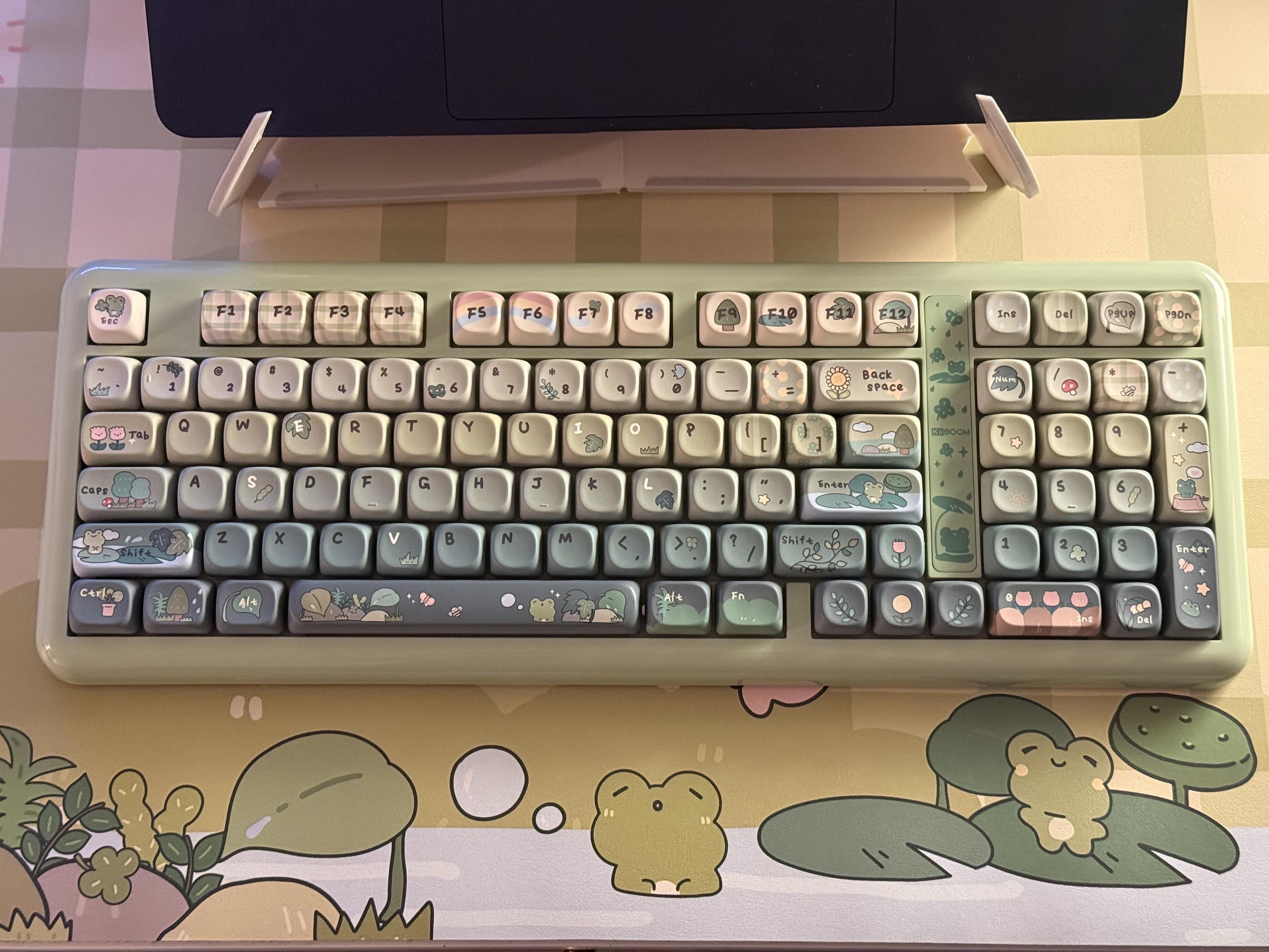
Froggy!
The Mossy switches are very, very, very quiet making the Phantom98 perhaps the quietest mech keyboard I’ve tested in a long while. To achieve this they lose the crisp feel of mechanical keys and feel a little soft and spongy. If you want a distinctly mechanical feel without too much clickety clack then give Mossy a miss. If you want to type into the wee hours without disturbing anyone else then boy do I have the switches for you.
The compact 98 key layout keeps the Phantom98 fully featured (almost, it doesn’t have a navigation cluster, squeezing insert, delete, page up and page down above the numpad) without totally dominating the desk. If I’m honest I still find it a little too large but I’m also struggling to get used to the arrow keys being tucked right up against shift/numpad zero so maybe it’s a bit small. If you’re used to either more compact or more full-featured layouts then you might have similar trouble with this in-between setup; your fingers will adjust eventually.
Like its green predecessor the Phantom81, the 98 is unapologetically cute with a full complement of frog and nature themed keycaps. While the designs aren’t as cohesive and considered as they could be, the very limited colour palette – green, green and more green – and sparse use of red and pink makes what could easily be a very visually complicated board actually quite tasteful. There’s raindrops and polka-dots and flowers and rainbows and a gentle nod to picnics in the countryside but many of the alpha and numeric keys are kept clean and simple and the rest manage, mostly, not to loudly compete for attention. The flowers and leaves on the arrow keys, gently nodding to their direction, are an especially nice touch.
Dongle Storage
The magnetic “badge” front detail between the numpad and main keys takes a lot of effort to open, requiring a firm push at the top edge which causes the magnet to very spontaneously – and often painfully if you’re not careful – lose its grasp on the metal plate and abruptly pop open.
The dongle cavity under the badge is shaped such that you don’t get much lever advantage, but you do get plenty of opportunity to potentially remove a fingernail. I’ve opted for keeping the dongle in service rather than stowing it and risking my fingertips. That said, I’ve contrived a pretty repeatable technique of using my finger to push down and open the lid while my thumb keeps it balanced and prevents sudden uncontrolled movement. If you have long fingernails (I usually keep mine very short) you’re going to have rather less success. Thankfully the dongle is probably going to stay in most computers and never be moved so it’s a small issue in the real world.
Taking It Apart
The Phantom 98 Lite seemed to be easier to take apart than its smaller cousin, and while they share the same look and feel from the outside they are very different beasts internally.
Just four screws, concealed beneath the rubber feet, hold the top shell to the bottom and the rest is secured with plastic clips which are refreshingly easy to release. Just pushing down ESC and CTRL hard while holding the edges of the left-hand side of the keyboard is enough to separate the top from the bottom shell. I’m sure there are better ways, but this worked well for me.
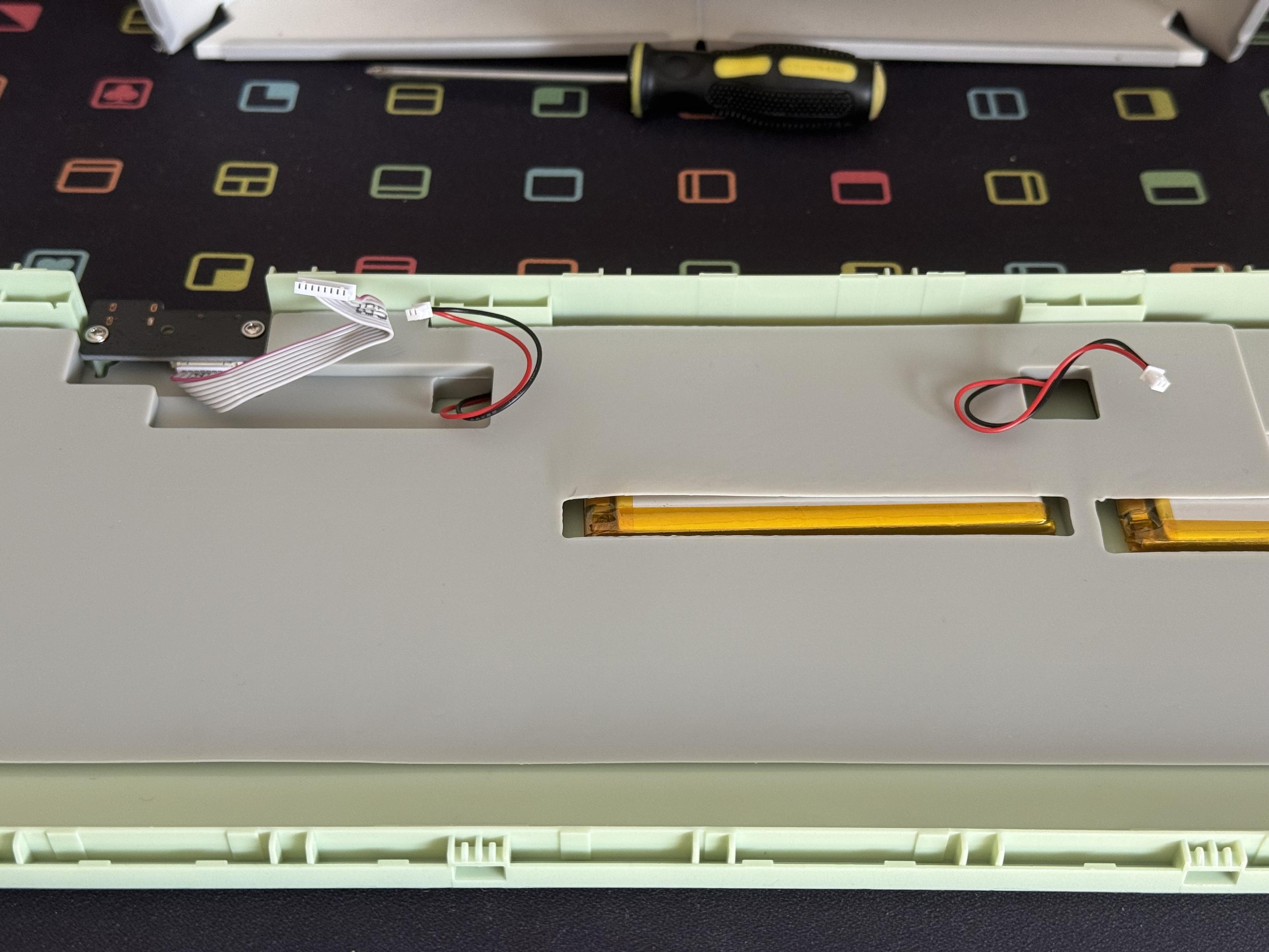
A whole lot of padding!
Unfortunately I wasn’t careful when putting the keyboard back together again and broke the little plastic tab off the power switch, rendering it not completely useless but very difficult to toggle. Oopsie. My keyboard is now permanently on which would be a problem if it hadn’t now been rotated off my desk and onto a shelf where it has remained, still with battery, for weeks.
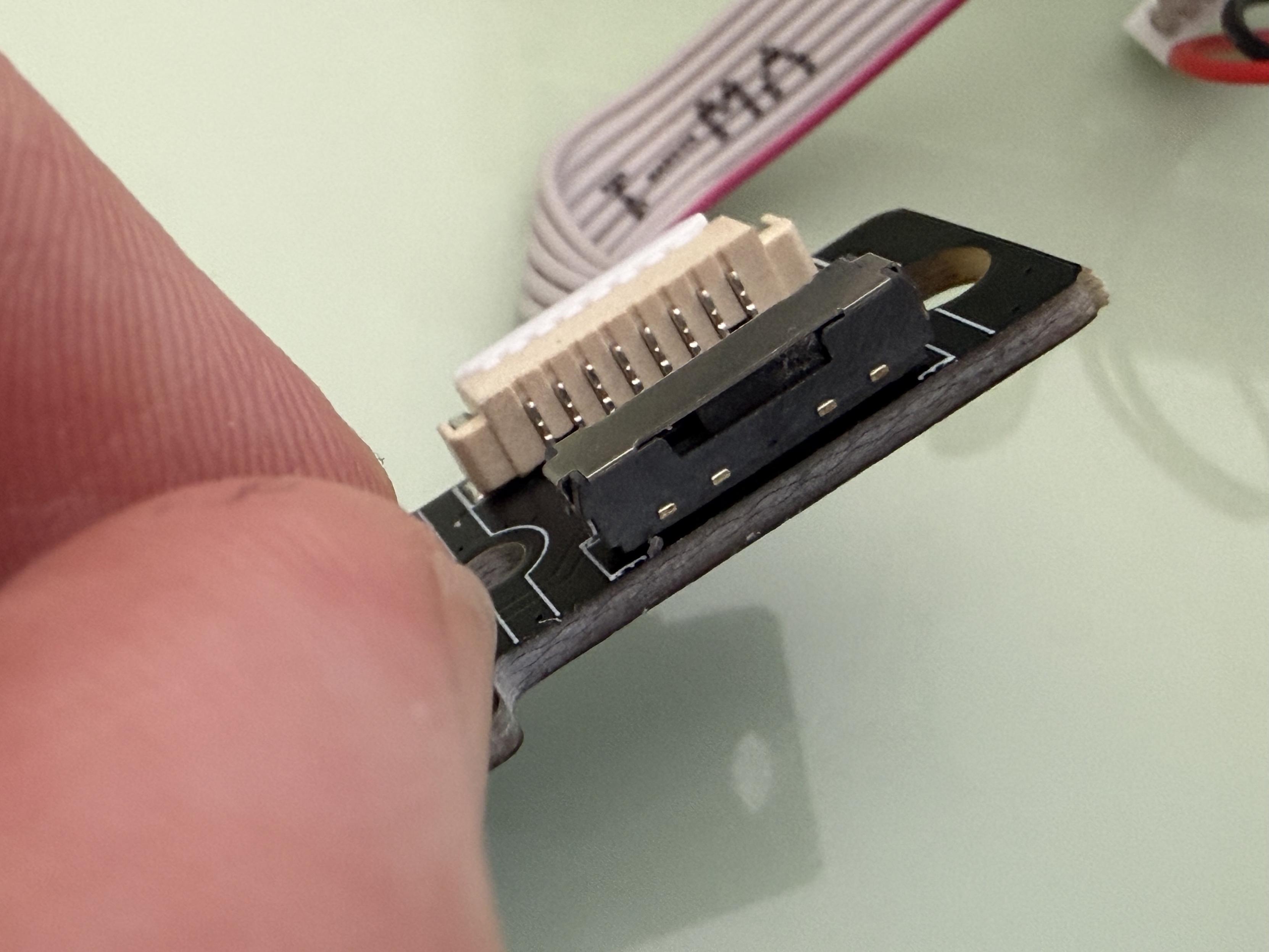
Whoops.
Inside, in lieu of the grommets and springs and general experimental complexity of the Phantom 81 Lite, the 98 Lite has an uncomplicated grommet mount setup. It’s clean, simple and gets the job done but it’s not as receptive to modifications as its smaller cousin. Naturally I removed most of the foam and harder silicone padding to shed a little weight from the board. It’s still hefty, though.
Overall
Just like the 81, I can’t fault the 98. It’s a novelty keyboard you might buy to liven up your desk, or set up a school workstation for your kids. It isn’t trying to be the greatest mechanical keyboard in the world, but it’s certainly far, far from the worst.
You can pick up the Phantom98 Lite direct from KiiBOOM for $109.99.